Using the remote
Buttons
The device is a keyboard, over Bluetooth or USB, so a press acts on whatever the Mac has focused, meant to be a Claude Code session. A tap is released before the device's long press fires, and a hold is kept until it fires:
| Button | Sends | In Claude Code |
|---|---|---|
| OK, tap | Enter | Sends the prompt, or picks a menu's option |
| OK, hold | Ctrl+Q, held until the release | Dictates into the prompt, sending nothing |
| Up, tap | Up arrow | Recalls the previous message, or moves up a menu |
| Down, tap | Down arrow | Recalls the next message, or moves down a menu |
| Left, tap | Left arrow | Lowers the /effort slider a level, or moves to a dialog's previous tab |
| Right, tap | Right arrow | Raises the /effort slider a level, moves to a dialog's next tab, or takes a suggested prompt |
| Right, hold | Esc | Stops the turn |
| Up, hold | Ctrl+X, Ctrl+F | Sets effort to high |
| Down, hold | Ctrl+X, Ctrl+X | Sets effort to max |
| Left, hold | Ctrl+X, Ctrl+L | Runs /clear |
| Back, tap | Nothing | Opens the options on the device |
| Back, hold | Nothing | Leaves the app on the device |
A hold acts once, however long the button stays down.
On an empty prompt the left arrow sends the session to the background and opens agent view:
Esc returns, and leftArrowOpensAgents in /config turns that off.
Effort and /clear keep the prompt's draft.
Effort high is saved as the default for new sessions, and max lasts the session.
/clear during a turn runs when the turn ends.
A stray /clear costs one /resume,
which lists the previous conversation.
Confirmation
Each action that sends buzzes once,
and its part of the ring on the screen flashes:
400 ms, or 100 ms for the arrows.
Stopping dictation, leaving the app, switching the link and a tap on Back do not buzz.
With Vibration Off in the options nothing buzzes, and the flash alone confirms.
The buzz means sent, not applied:
with another window focused it comes all the same.
Screens
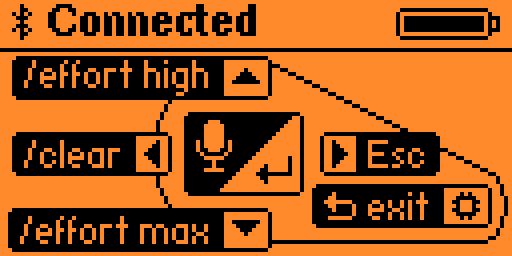
The main screen shows the link above a ring of the buttons.
An action taken by a press stands in a thin frame,
and one taken by a hold on a black plate,
as the legend HOLD and TAP in the top row says.
The first press there takes the legend away until the app is left,
and the battery stands in its place as the device's status bar draws it, the lightning included.
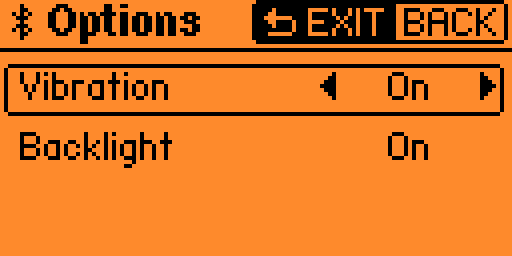
Options open with a tap on Back from the main screen, where a gear ends Back's plate.
Vibration and Backlight are On until they are changed.
A tap on Up or Down moves the frame to the other row,
and a tap on Left or Right gives the framed row its other value at once, without a buzz.
With Vibration Off no action buzzes, and each still acts and flashes.
With Backlight Auto the screen goes dark by the device's Backlight Time,
and a press then lights it and acts as well.
A change is saved on the SD card at once, and the next launch opens with it.
A tap on Back returns to the main screen, holding it leaves the app,
and OK and every other hold do nothing there.
A lost link shows its mark in the top row and leaves the options open,
and a tap on Back then shows No link.
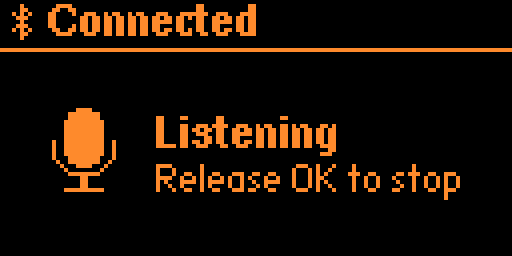
Listening, white on black, shows while OK is held.
No other button acts then, leaving included.
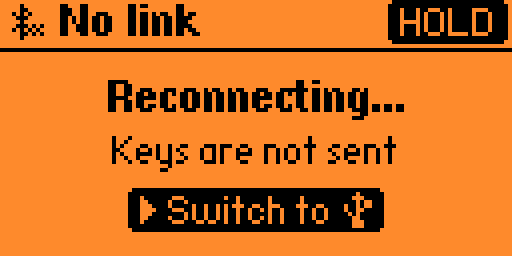
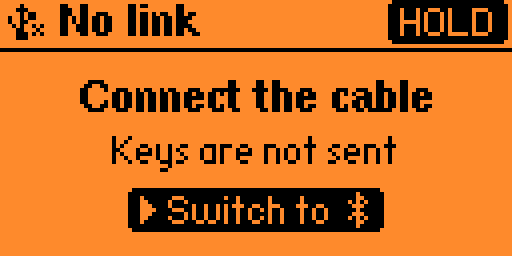
No link, with Reconnecting... and Keys are not sent,
shows while the Mac holds no link,
with Connect the cable in place of Reconnecting... on USB.
A black plate, Switch to and a mark, shows Right's hold,
as HOLD in the top row says:
it takes USB from Bluetooth, and returns to Bluetooth from USB.
Holding Back leaves the app.
Every other press does nothing, with no buzz and no flash.
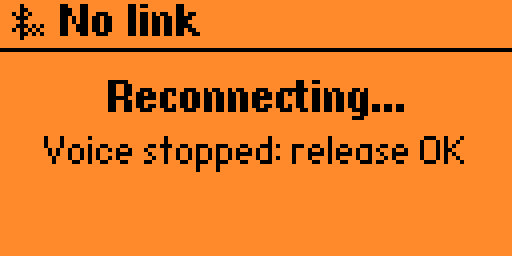
Voice stopped: release OK shows when the link drops during dictation.
The recording stops, and the words said before the drop stay in the prompt.
Dictation starts again only once OK is released and held again with the link up.
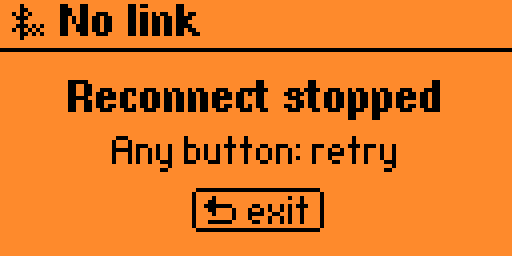
Reconnect stopped, with Any button: retry, shows after a minute with no link,
counted from the launch, the drop or Right's hold, with the backlight off.
The Mac can no longer reach the device.
Any button but Back lights the screen and returns to No link for another minute,
sending nothing, with no buzz and no flash.
Back leaves the app at once, on its press.
The dolphin
The work feeds the device's dolphin, by firmware 1.5.1:
| Deed | XP |
|---|---|
| A dictation, as voice starts | 1 |
A /clear |
10 |
| A launch from the Apps menu, paid by the firmware | 2 |
The firmware gives the Flipper Apps Catalog's apps 20 XP a day together, games included,
and the day turns at 05:00 by the device's clock.
Once the 20 XP are spent, the remote earns nothing until then.
A launch by mise run launch earns nothing.
The app's screen shows no XP: Passport shows the mood and the level.